Here is where you can stay up-to-date with everything Best Western Rewards. Our resource center hosts a collection of webinars and training videos, best practices, and how-to guides to best support you, your team, and your hotel. See below for the most recent info & details!
See below for more information to assist you in your day-to-day tasks.
Program Overview
- Best Practices & Guides
- Resource Center
- North America
Inspiring Travel through Unique Experiences!
We are proud to offer many unique travel experiences to our guests in destinations all over the world. From local one of kind hotels to luxury high rises in the city.
You are part of a global brand that creates memories for our guests in more ways than one!
Step-by-Step Guides
General Questions
Here you can find step-by-step guides to different manual process for managing Best Western Rewards at your property
The Best Western Gift Card (formerly known as Travel Card) is a prepaid closed-loop gift card that drives new business to the brand and incremental room nights to Best Western properties. In fact, the Best Western Gift Card delivers more than $15 million in revenue to properties every year! There is NO COST to request Best Western Gift Card inventory for your hotel! Corporate covers the cost of the physical gift cards and shipping*.
- Guest can pay with points online through bestwestern.com or through the CRO.
- Guest book a free night with you at front desk, in which you will need to manually redeem their points.
- A guest may arrive with a paper or electronic Free Night Award. All awards must be redeemed in Member Web in order for the hotel to be reimbursed. This applies to all properties.
- MemberWeb, go to 'Rewards'
- Click 'Redeem Points'
- Enter the guests BWR membership number and select 'Display'
- Enter their 'Stay Date' (which is their check-in date); 'number of Free Nights', and then click 'Display.'
- Make sure that the point value displayed is correct (this can be verified by checking the rate field/comments on the reservation). If it is incorrect, select the correct amount from the drop down menu. Make sure that there is a check mark in the 'Select' column for the number of nights the guest is staying.
- Once all that information is verified, go ahead and select 'Submit'.
- Print the pop-up that comes up letting you know that the redemption was successful.
- In MemberWeb, go to 'Rewards'
- Click 'Redemption'
- Enter the "Award No', 'Sequence no' (please be sure to enter FOUR digits), 'Issue Date', and ‘Date of Free Night Stay' (enter the date the guest actually stayed at the hotel). In the 'Reference' box, enter the Guest’s name.
- Once all the information is entered, select 'Submit'
- Underneath the blue bar, you will see the award number, sequence number, and other comments. Once you see this, it confirms that the award has been redeemed. If you see something that states 'Rejected' and in the 'Comments', it states that the award is invalid; that means that the award may not have been redeemed. If this happens, please call BWR Property Support at 877-735-1737.
Innsiders are the number one ambassador for hotels when it comes to Best Western Rewards. We strongly encourage you to maintain a clean database of Innsiders at your property. Please review these step-by- step instructions on how to enroll your team members in our Innsider Rewards Program.
Best Practices & Tips
Here you can find processes that have worked well for many Innsiders and tips on how you can use them too
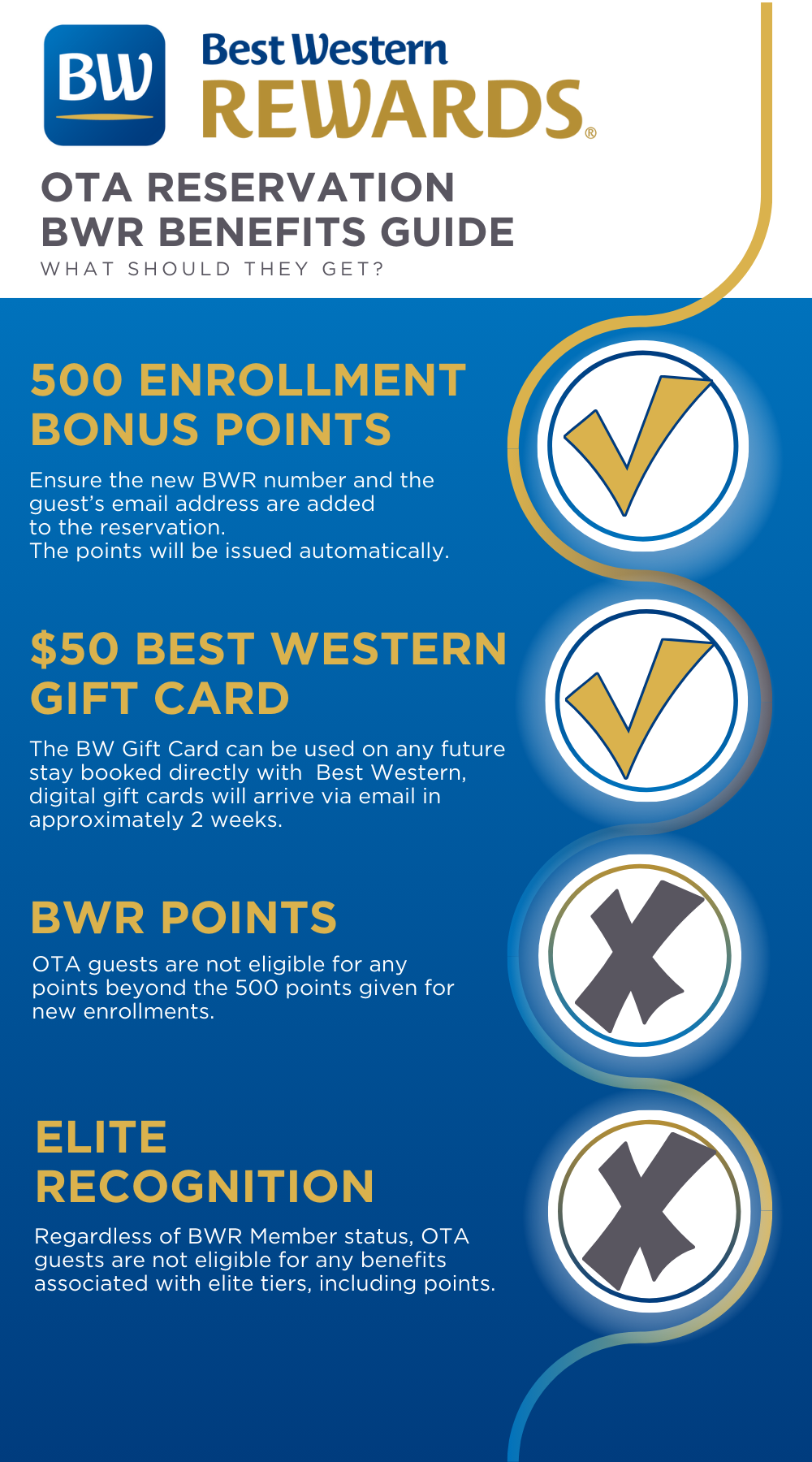
OTA Enrollment Tips
- Use the current promotion as a way to incentivize enrollment and promote future direct business.
- Depending on the current promotion, OTA guests may not qualify. If that is the case, let your guest know that they will receive 500 points for enrolling. Also, inform them that booking direct is a cheaper alternative to the OTAs and they will receive BWR points and promotional offers.
- Remind the guest of our Low Rate Guarantee and that Best Western Rewards is a free program. Our Low Rate Guarantee promises that the lowest rates will always be found on bestwestern.com.
- Let your guest know that our POINTS NEVER EXPIRE. This is one key difference when comparing BWR to our competitors. Whether your guest is traveling once a year or once a week, they will always have their points.
- Best Western Rewards members receive exclusive rates and promotional offers.
- When logging into bestwestern.com, BWR members have access to exclusive rates such as our Rewards Rate (10% off). In addition to lower rates, our direct marketing team is always sending exclusive offers via email where guests can receive bonus points, Travel Cards, and more!
- Encourage staff to enroll guests by reminding them about our Innsider Incentives. OTA enrollments earn more points for Innsiders which means more gift cards, free nights, and more!
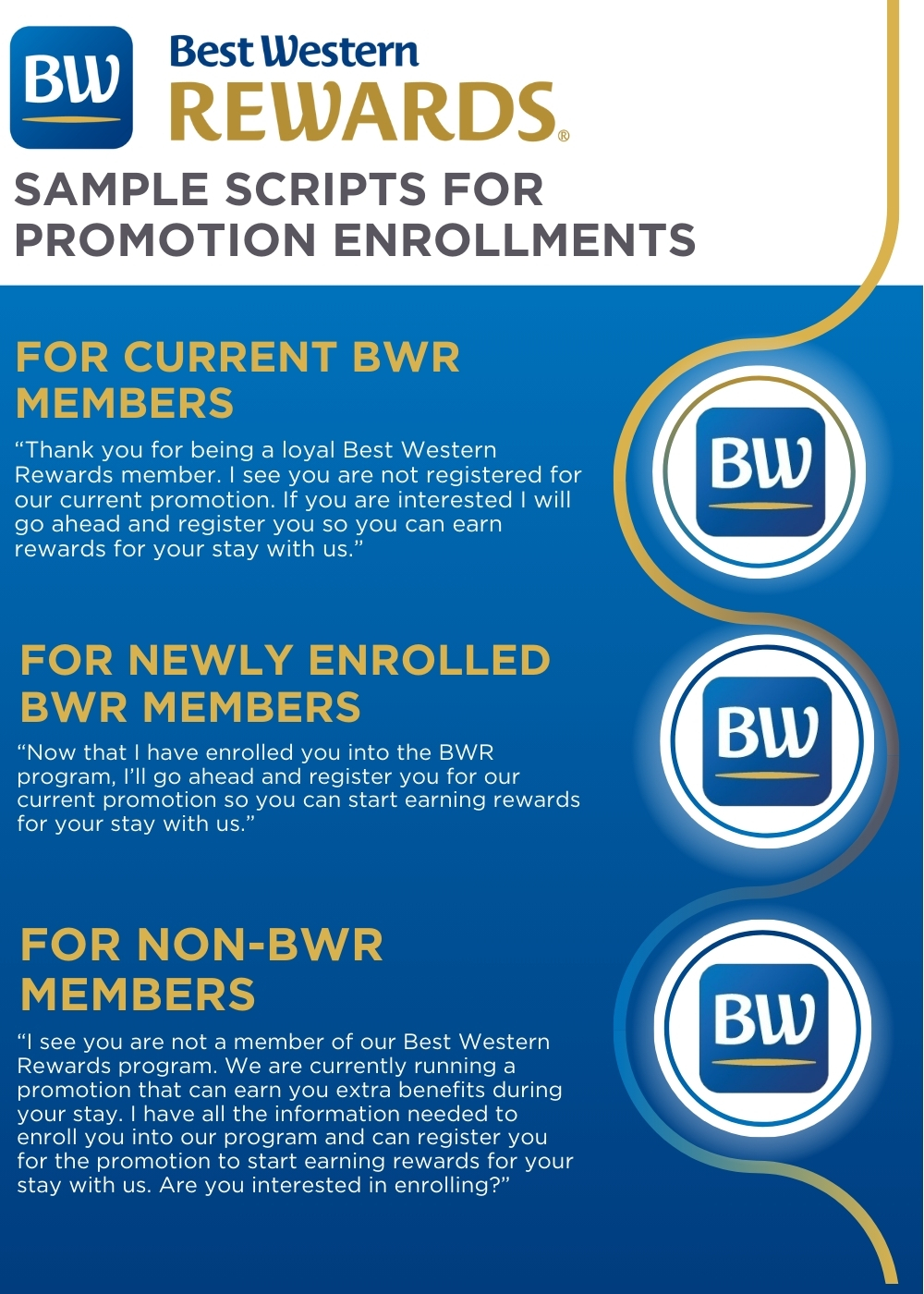
- Adopt the motto “Every Guest, Every Time.” This motto will remind your staff to ask every guest to enroll. We understand that there are guests that will not want to enroll but if you forget to ask, you’ll never know if they’re interested!
Enrollment Best Practices
- Always get consent from your guests
- Run a daily arrivals list each shift
- Set daily/weekly goals for staff
- Monitor enrollments 2-3 times per week
- Create a BWR conversation piece
- Find opportunities following check-in to enroll a guest
- Review and post pending points in MemberWeb daily
- Create an incentive at the hotel to promote enrollments
- Use a tracking sheet to identify why guests do not want to enroll
- Remind members that an email will allow them to check their point balance online, redeem points for awards and track their stays
- Tell guests that they can receive their folio via e-mail (express check-out) where applicable
- Let members know that they will be able to receive exclusive BWR offers via email
- Remind members that if a promotion involves a Best Western Gift Card or free night award, they will need an email on file to receive these awards
Use this flyer as quick reference on the benefits available to your guests as a BWR member.
Here are two resources to help you track enrollments and rejections at the front desk. The BWR Manual Tracking sheet serves as a back up to record enrollments you have gotten at check in. While the BWR Rejection Sheet helps you understand missed opportunities for enrollment in order to overcome those challenges next time.
Click here to download each:
Resource Center
All the Tools You Need
From promotional tips to handy webinars, our Resource Center helps you successfully enroll your guests in Best Western Rewards®.


BWR Breakdowns
BWR Breakdowns are simple 90-second training videos to help you navigate your day-to-day tasks

Best Practices
Learn some best practices and tips to help increase your enrollment efforts with Best Western Rewards

Recorded Webinars
Stay up-to-date with webinars for promotional offers, program changes, and important announcements.